Finding high-performance video editing software for Windows does not require an expensive monthly subscription, as several top-tier applications offer professional-grade editing tools completely free. Software options like DaVinci Resolve, CapCut, and Shotcut allow content creators to edit, adjust color, and export high-definition videos without restrictive trial periods or intrusive watermarks.
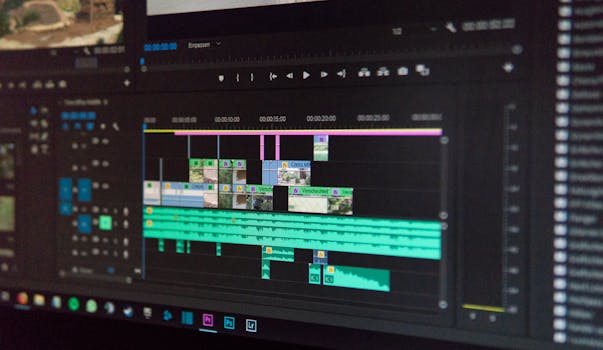
Selecting the right editing suite depends heavily on your current experience level, your computer’s hardware capabilities, and the specific goals of your video projects. The software market features options ranging from simple drag-and-drop editors to full-fledged Hollywood post-production suites.
1. Overview of Top Free Video Editing Software for PC
DaVinci Resolve
DaVinci Resolve by Blackmagic Design stands out as the most advanced free video editor on the market. It combines digital editing, color correction, visual effects (Fusion), and audio post-production (Fairlight) into a single workspace. While the learning curve is steep, it provides Hollywood-level tools without charging a dime for its core edition.
CapCut for PC
CapCut has rapidly evolved from a mobile app into a powerhouse desktop application for Windows. It features a modern, intuitive interface equipped with auto-captions, background removal, keyframe animations, and a rich library of pre-made transitions and stock assets. It is ideal for content creators producing videos for YouTube, TikTok, and Instagram.
Shotcut
Shotcut is an open-source, cross-platform video editor that supports a wide range of file formats without requiring conversion. It offers multi-track timeline editing, audio filters, color grading options, and flexible dockable panels. Because it is completely open-source, there are no locked features, paywalls, or watermarks.
OpenShot
OpenShot is designed to be an accessible, easy-to-use video editor for beginners. Its drag-and-drop interface lets users quickly combine videos, images, and audio tracks. It includes basic animation frameworks, 3D animated titles, clip trimming, and simple video effects, making it a reliable choice for quick personal projects.
Kdenlive
Kdenlive is another powerful open-source video editor built on the MLT Framework and KDE software ecosystem. It offers dual video monitors, a multi-track timeline, customizable interface layouts, and extensive keyboard shortcut mapping. Kdenlive receives frequent updates and provides deep configuration control for tech-savvy users.
2. Side-by-Side Comparison of PC Video Editors
The table below breaks down key differences among these top video editing applications to help you choose the best match for your editing workflow and PC hardware.
| Video Editor | Watermark on Free Tier? | Target User Level | Key Strengths | GPU Acceleration Support |
|---|---|---|---|---|
| DaVinci Resolve | No | Advanced / Professional | Industry-standard color grading & Fairlight audio | Yes (NVIDIA/AMD/Intel) |
| CapCut PC | No (optional end-screen) | Beginner / Intermediate | Trending effects, auto-captions, speed templates | Yes |
| Shotcut | No | Intermediate | Open-source, low resource usage, wide format support | Limited free tier support |
| OpenShot | No | Beginner | Simple UI, 3D titles, basic timeline tools | Partial |
| Kdenlive | No | Intermediate / Advanced | Highly customizable, open-source, proxy editing | Yes |
3. Essential Factors to Consider Before Downloading
When selecting video software, you must look past marketing claims and analyze how a program handles system resources, file exports, and user workflow demands.
Watermarks and Paywalls
Many commercial software titles advertise themselves as “free downloads” only to embed a massive watermark across your finished video unless you purchase a premium license. All software tools listed in this guide offer true free tiers that export videos cleanly without watermarks, though some apps may offer optional paid subscriptions for cloud storage or specific premium asset libraries.
Hardware Compatibility and System Specs
Video processing relies heavily on CPU cores, system RAM, and graphics card processing. Lightweight editors like OpenShot and Shotcut run smoothly on standard dual-core laptops with 8GB of RAM. Conversely, node-based editors like DaVinci Resolve require at least 16GB of system memory and a dedicated graphics card with 4GB+ of VRAM to function efficiently without lag.
User Interface and Learning Curve
A complex interface can hinder your progress if you only need to trim clips and add background music. Beginners often thrive using CapCut or OpenShot due to their visual drag-and-drop timelines. Advanced editors who need color wheels, audio ducking, keyframe curves, and complex masking require the deep layout control provided by DaVinci Resolve or Kdenlive.
Export Resolutions and Codec Support
Verify that your chosen software natively supports your camera or phone footage, including codecs like H.264, H.265 (HEVC), and AV1. Additionally, ensure the free software allows high-resolution exports. While some free editors limit output resolution to 720p or 1080p, top options allow uncompressed 4K exports at up to 60 frames per second.
4. Our Top Pick
DaVinci Resolve wins as the definitive top pick for the single best software option on PC. You can download the latest version directly through official developer channels (#) to access professional capabilities without an upfront fee.
DaVinci Resolve takes the lead because it does not lock critical editing tools behind paywalls. Users gain access to a full non-linear editor, color page with node-based grading, Fusion visual effects node tree, and Fairlight digital audio workstation. Unlike typical free programs that compromise on depth, DaVinci Resolve offers full multi-cam editing, optical flow speed changes, dynamic zoom, spatial noise reduction, and custom timeline resolutions up to Ultra HD 4K.
The software is continuously updated by Blackmagic Design to leverage modern hardware architecture, supporting hardware-accelerated decoding, direct control-surface integration, and automated project back-ups. It provides an enterprise-grade workspace that scales perfectly as your creative skills evolve from basic editing to commercial-grade video production.
5. How to Optimize Performance on Windows PCs
Editing high-bitrate media can slow down even robust desktop computers. Implementing smart performance habits ensures smooth timeline playback and faster render times.
Utilizing Proxy Workflows
Proxy editing replaces heavy, high-resolution source files (like 4K RAW footage) with lightweight, low-resolution copies during the active editing phase. When rendering the final cut, the software automatically swaps the proxy files back to the original full-resolution media, ensuring maximum visual quality without frustrating timeline stuttering.
Adjusting Playback Resolution
Most editing programs allow users to lower the real-time playback resolution to half or one-quarter quality within the preview monitor. Reducing monitor playback strain frees up system memory and graphics card cycles, allowing effects and transitions to preview smoothly in real-time.
Managing Cache Files and Drives
Video software creates large cache and scratch files to render scrubbable timelines quickly. Store your project media and software cache files on high-speed Solid State Drives (SSDs) or NVMe drives rather than legacy mechanical hard drives. Routinely clear cache folders to prevent your main system drive from filling up completely.
6. Frequently Asked Questions
Is there a completely free video editor for PC without a watermark?
Yes, programs like DaVinci Resolve, Shotcut, OpenShot, and CapCut permit users to edit and export full-resolution videos without applying any forced watermarks.
Can a standard laptop handle free PC video editing software?
Yes, lightweight tools like OpenShot, CapCut, and Shotcut run reliably on basic laptops equipped with 8GB of RAM and integrated graphics. However, high-end software like DaVinci Resolve requires a dedicated graphics processor and higher RAM capacity for optimal performance.
What is the easiest free video editing software for beginners?
CapCut and OpenShot offer the simplest user interfaces for beginners. Their drag-and-drop layouts, clear trim tools, and pre-configured video effects minimize setup time and eliminate complex technical configurations.
How does free software compare to paid editors like Adobe Premiere Pro?
Top free options like DaVinci Resolve offer equal or superior functionality compared to paid software like Adobe Premiere Pro or Final Cut Pro. The main difference lies in specific third-party plugin integrations, ecosystem syncing, and proprietary codec support.
Do I need a dedicated GPU for free video editing on PC?
A dedicated GPU is not strictly required for simple 1080p cutting and trimming, but it is highly recommended for color correction, 4K rendering, speed ramping, and applying complex visual transitions without lagging.
Are free open-source video editing programs safe to download?
Open-source editors like Shotcut, Kdenlive, and OpenShot are safe to install when downloaded directly from their official developer websites or verified repositories. They contain no bundled spyware, ad trackers, or hidden installation malware.
7. Conclusion
Finding the best free video editing software for pc ultimately comes down to matching your computer hardware specs with your project complexity. Whether you need the advanced post-production tools of DaVinci Resolve or the accessible content creation workflow of CapCut, free software can meet your production needs without costly monthly subscriptions. By selecting software that provides non-watermarked exports, broad media format support, and strong optimization tools, you can easily produce polished, professional-grade videos right from your Windows desktop.