The best password vault for families combines robust zero-knowledge encryption with flexible vault permissions, seamless autofill across mobile and desktop devices, and dependable account recovery. Investing in a centralized family password manager eliminates unsafe practices like texting credentials or reusing weak passwords across shared entertainment, banking, and school accounts.
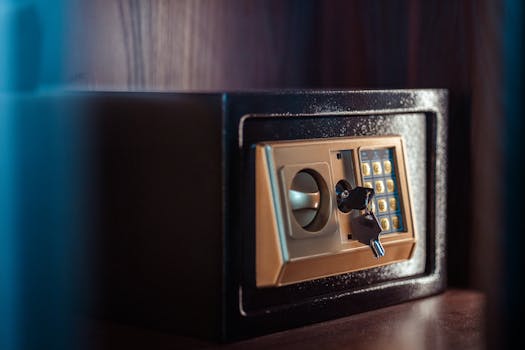
The modern American household runs on hundreds of digital accounts. Between streaming services, utility portals, school portals, grocery delivery apps, and smart home systems, managing access across parents, children, and grandparents quickly becomes chaotic. Without a centralized system, families often resort to insecure habits, such as keeping passwords on sticky notes, texting login details over unencrypted SMS, or reusing the same predictable pet name and year across multiple platforms.
1. Why Your Household Needs a Dedicated Family Password Vault
A specialized family password vault solves these vulnerabilities by implementing zero-knowledge, end-to-end encryption. In technical terms, this means your data is scrambled locally on your device before it ever reaches the provider’s servers. Only household members who hold the master keys can decrypt the stored credentials. Even if the password manager’s servers suffer a data breach, your family’s actual passwords, credit cards, and sensitive notes remain unreadable gibberish to attackers.
Beyond baseline cybersecurity, a family manager streamlines daily digital life. Parents can share Wi-Fi logins, mortgage portals, and medical records in a joint vault while keeping their individual personal emails and work logins completely private. Teens can safely store school accounts without parents having to manage every single login, and parents retain the ability to step in if a child gets locked out of an essential service.
2. Essential Features to Look for in a Family Plan
Choosing software for an entire household requires balancing airtight security with user-friendly accessibility. If a tool is too complex, less tech-savvy family members will simply bypass it. When evaluating potential candidates, focus on four key operational capabilities.
Granular Vault Permissions and Private Spaces
A proper family plan must offer separate, independent vaults for each member, alongside common shared vaults. Parents need an administrative dashboard where they can create custom vaults—such as “Streaming,” “Home Utilities,” or “Kids School”—and dictate who has view, edit, or administrative rights. Children should never have access to household financial accounts, yet parents should not have to compromise their own privacy just to share a Netflix password.
Independent Account Recovery Mechanisms
Account recovery is the single most critical feature of a family plan. In a standard individual password manager, losing the master password means the encrypted data is permanently lost. Within a family plan, the primary organizer should have the ability to securely reset a family member’s access if a child or elderly relative forgets their master password, without compromising the zero-knowledge security model of the platform.
Broad Cross-Platform Compatibility and Intuitive Autofill
American homes rarely use a single operating system. One teenager might have an iPhone and a Windows PC, a parent might use a Mac and an Android phone, and younger kids might use school-issued Chromebooks. The password vault must perform reliably across iOS, Android, macOS, Windows, Linux, and all major web browsers. Its autofill prompts must be seamless and accurate to prevent frustration.
Two-Factor Authentication and Passkey Readiness
Modern password vaults should not only support traditional two-factor authentication (2FA) via authenticator apps and security keys, but they should also act as an integrated 2FA authenticator. Additionally, the digital landscape is transitioning toward passkeys. A future-proof family vault should allow members to store, sync, and share passkeys across different devices just as easily as traditional alphanumeric passwords.
3. Leading Password Managers for Families Reviewed
Several password managers offer dedicated multi-user plans. Here is an analysis of how the top services handle the demands of a busy household.
1Password Families
1Password has long set the gold standard for user experience and family safety. Its architecture uses a unique combination of a master password and an emergency 128-bit Secret Key stored locally on authorized devices. Its administrative controls are exceptionally polished, allowing organizers to easily recover locked accounts, create custom shared vaults, and invite temporary guests for babysitters or visiting relatives. It also features a unique “Travel Mode” that removes sensitive vaults from your devices when crossing international borders.
Bitwarden Families
Bitwarden is an open-source, highly transparent password manager favored by security enthusiasts. Its family plan includes coverage for up to six users at an exceptionally affordable annual price point. While its user interface is more utilitarian and less beginner-friendly than commercial competitors, Bitwarden delivers enterprise-grade encryption, unlimited collections (shared vaults), and full self-hosting capabilities for families with advanced technical setups.
Keeper Family
Keeper offers a robust, military-grade platform that includes five individual private vaults, 10 GB of secure cloud storage for documents, and access to KeeperChat, an encrypted family messaging service. Keeper’s permissions are granular, and its security auditing tool (KeeperFill) works well on mobile. However, its pricing structure can feel fragmented, as useful features like automated dark web monitoring require paid add-on packages.
Dashlane Friends & Family
Dashlane stands out by bundling third-party security utilities alongside standard credential storage. The Friends & Family tier supports up to ten separate accounts and includes an integrated Virtual Private Network (VPN) powered by Hotspot Shield, as well as real-time dark web monitoring. While Dashlane is among the most expensive consumer options, its web-first application and autofill performance are top-tier.
4. Comparison of the Best Password Vaults for Families
The following table contrasts the critical specifications, inclusions, and entry pricing of the top household password managers:
| Password Manager | Base Plan Price | Included Users | Shared Storage | Emergency Recovery | Standout Family Feature |
|---|---|---|---|---|---|
| 1Password Families | ~$4.99 / month | 5 (expandable) | 1 GB total | Yes (Admin Reset) | Guest vaults & Travel Mode |
| Bitwarden Families | ~$3.33 / month | 6 (fixed) | 1 GB total | Yes (Emergency Access) | Open-source code & budget pricing |
| Keeper Family | ~$6.25 / month | 5 (fixed) | 10 GB total | Yes (Emergency Access) | Large encrypted file storage & KeeperChat |
| Dashlane Friends & Family | ~$7.49 / month | 10 (fixed) | 1 GB per user | Yes (Policy-based) | Integrated Hotspot Shield VPN |
5. How to Successfully Onboard Kids and Non-Tech-Savvy Relatives
Buying software is easy; getting an entire family to use it consistently is the real challenge. Successful adoption depends on clear boundaries, hands-on guidance, and removing friction.
Start with Entertainment and Daily Essentials
Do not overwhelm relatives on day one by importing every single banking and medical portal. Begin by installing the browser extension or mobile app on their primary device, configuring biometric login (such as Apple Face ID or Windows Hello), and sharing access to your family’s streaming and music vaults. When family members see that they no longer have to manually type or ask for passwords to watch a show, they quickly grasp the tool’s value.
Create Strong Passphrases Instead of Complex Passwords
Teach family members to create a memorable passphrase for their master login rather than a string of random characters that they will inevitably forget. A passphrase consisting of four or five unrelated words (e.g., “battery-staple-purple-giraffe”) is far more secure against brute-force attacks than an eight-character password filled with numbers and symbols, and it is dramatically easier for children and seniors to type.
Establish Clear Vault Etiquette
Make sure every family member understands where to save new credentials. By default, personal credentials must go into their private vault, while household items belong in designated shared vaults. Regularly check in to clean out duplicates, update expired payment cards, and review the software’s security dashboard to catch weak or compromised passwords before hackers exploit them.
Our Top Pick
1Password Families is the undisputed winner as the overall best choice for American households. You can explore their platform directly on the official [(#)] 1Password website.
1Password secures the top spot because it balances impenetrable security with the most intuitive user management on the market. Its two-layer encryption model—which couples your private master password with an locally stored 34-character Secret Key—ensures that even if an attacker acquires your master login, they cannot breach your vault without your physical device.
More importantly, 1Password solves the common headaches of household management. The administrative panel allows the primary account holder to restore access for a locked-out child or spouse in seconds without ever seeing their private data. The service allows you to share specific vaults with outside guests (like house-sitters or tutors) without adding them to your paid plan, and its native apps across iOS, Android, Mac, and Windows run smoothly with minimal technical hiccups. For complete household peace of mind, it remains the standard to beat.
Frequently Asked Questions
Can the family plan administrator see my private passwords?
No. Zero-knowledge architecture guarantees that each family member’s personal vault remains encrypted with their individual master credentials. The family organizer manages billing, vault allocations, and recovery permissions, but they cannot view, search, or modify any passwords stored within another user’s personal vault.
What happens if the primary organizer stops paying or passes away?
If the subscription lapses, most providers shift the account into a read-only state. You will not lose your passwords, but you will not be able to edit or add new credentials until billing resumes. For unexpected life events, reputable managers include an “Emergency Access” feature that allows designated family members to request access to another user’s vault after a predetermined waiting period.
Can family members who live in different houses share a family plan?
Yes. Unlike streaming platforms that enforce strict household IP-address restrictions, password managers allow family members to live at different addresses. You can easily include college students living in dorms, adult children living in other states, or aging grandparents living in assisted facilities under a single family subscription.
Are free password managers safe enough for a family to use?
While reputable free tools like Bitwarden’s free individual tier offer secure encryption, free plans do not include family sharing infrastructure. Free options force users to manually copy and paste credentials to share them, which completely defeats the purpose of maintaining a secure, auditable, and automated digital household.
How does account recovery work if someone forgets their master password?
In 1Password Families and comparable tools, account recovery is managed through a secure administrative token. The family organizer initiates a recovery request from their dashboard. Once approved, the locked-out member receives a secure link allowing them to choose a brand-new master password, restoring their vault access without needing the old password.
Can a family password manager safely store items other than logins?
Yes. Leading password managers allow you to securely store secure notes, credit card numbers, driver’s licenses, passports, Wi-Fi router keys, and software licenses. Many families use shared notes to safely store sensitive medical history, insurance policy numbers, and emergency contact details.
Conclusion
Securing your home’s digital footprint requires moving away from shared notes, repeated credentials, and vulnerable communication channels. Implementing the best password vault for families ensures that every household member—from children opening their first school accounts to grandparents managing healthcare logins—benefits from airtight encryption and hassle-free autofill. By centralizing management while respecting individual privacy, a dedicated family vault protects your household against identity theft, simplifies daily digital routines, and guarantees that vital accounts remain accessible during emergencies.