The best free video editing software for YouTube is DaVinci Resolve for creators seeking studio-grade color grading and audio tools, while CapCut Desktop and Shotcut provide accessible, watermark-free workflows for creators who need quick turnaround times. Your ideal choice depends on your computer hardware, technical background, and whether your primary focus is long-form widescreen videos or vertical YouTube Shorts.
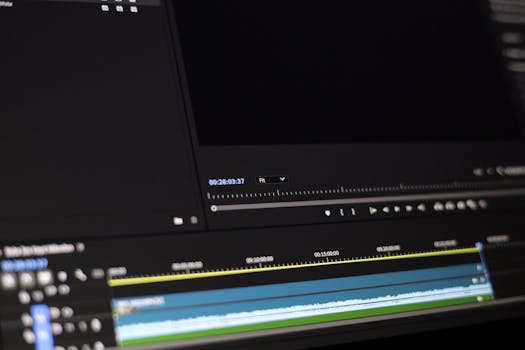
Selecting an editing platform is one of the most critical foundational choices you will make as an online video creator. YouTube viewers make snap decisions about whether to stay on your video within the first thirty seconds. Fast pacing, clean jump cuts, balanced audio, and dynamic graphic overlays keep viewers engaged, directly driving up your average view duration (AVD) and click-through rate (CTR).
1. How Your Video Editing Software Impacts YouTube Channel Growth
Software that constantly crashes, lags during timeline scrubbing, or restricts your export settings destroys your upload consistency. When you spend ten hours fighting your editing tool just to assemble simple cuts, your upload frequency drops. High-performing creators rely on reliable timelines, rapid rendering pipelines, and accessible keyboard shortcuts so they can focus on storytelling rather than troubleshooting software errors.
Furthermore, YouTube operates under specific technical benchmarks. The platform recompresses uploaded files, meaning your source export must maintain high bitrates, proper color spaces (Rec.709), and standard frame rates (such as 24fps, 30fps, or 60fps). Choosing an editor that outputs clean 1080p and 4K files without embedding digital watermarks is mandatory if you plan to join the YouTube Partner Program and monetize your content.
2. In-Depth Reviews of Free Video Editors for YouTube
DaVinci Resolve
DaVinci Resolve by Blackmagic Design is the gold standard of free creative software. Unlike freemium alternatives that hide essential functions behind paywalls, the free version of DaVinci Resolve delivers an uncapped, Hollywood-grade non-linear editor. It includes dedicated workspaces for media ingest, fast cut editing, traditional timeline trimming, Fusion visual effects, Fairlight audio mastering, and color grading.
For YouTube creators, its color correction suite and Fairlight audio page are game changers. You can easily balance vocal tracks, compress dynamic ranges, and hit YouTube’s loudness standard of -14 LUFS without external plugins. The primary barrier to entry is the steep learning curve and its demanding hardware requirements. It requires a dedicated graphics processing unit (GPU) and at least 16GB of system RAM to run smoothly.
CapCut Desktop
Originally developed for mobile social media editing, CapCut Desktop has expanded into a formidable free workstation for YouTube creators. It excels at fast-paced content, reaction videos, and YouTube Shorts. The platform includes automatic caption generation, speed curve ramping, background removal, and an extensive library of royalty-free sound effects, animations, and transitions.
The desktop version supports 16:9 horizontal workflows and handles 4K exports up to 60fps without applying a watermark. However, creators must pay attention to changing licensing terms and pro-tier asset flags within the app interface. While the core editing timeline is completely free, certain trending filters and cloud storage options require a subscription.
Shotcut
Shotcut is an open-source, cross-platform video editor available for Windows, macOS, and Linux. Built on the FFmpeg framework, Shotcut can read and edit virtually any video codec or container format without requiring intermediate transcoding. This makes it exceptionally valuable for budget setups, older PCs, and creators who capture gameplay footage via OBS Studio.
Shotcut uses a modular user interface where you can dock or hide panels according to your preference. It supports native timeline editing, meaning you do not have to import footage into a proprietary project library before cutting. While it lacks built-in motion graphics templates and modern auto-captioning tools, its stability, zero-cost architecture, and non-existent system telemetry make it a reliable choice for privacy-conscious YouTubers.
Kdenlive
Kdenlive is another open-source powerhouse powered by the MLT framework and KDE community. It provides multi-track video editing with configurable timeline track layouts, color scopes, audio mixers, and keyframeable video effects. YouTubers who produce long-form video essays, tutorials, and multi-camera discussions will appreciate its automatic backup system and proxy clip generation.
The software generates lightweight low-resolution proxy files on the fly, enabling fluid timeline playback even when editing 4K footage on modest laptops. While its text titling tool feels somewhat dated compared to modern social editors, it integrates smoothly with open-source design packages like GIMP and Inkscape for thumb-stopping graphical elements.
Clipchamp
Clipchamp is Microsoft’s built-in video editor for Windows 11, also accessible via modern web browsers on other operating systems. It is aimed directly at beginners, vloggers, and corporate educators who want zero technical friction. The drag-and-drop timeline includes pre-made YouTube intros, lower thirds, stock audio clips, and an automated text-to-speech voice generator.
Free users can export unlimited videos at 1080p resolution without watermarks. Because rendering can leverage cloud or hardware-accelerated local pipelines depending on your browser setup, it operates without heating up budget laptops. Its primary limitation is the lack of deep color grading, advanced audio bus routing, and precision keyframing.
3. Essential Features YouTube Creators Must Look For
Watermark-Free Exporting
Many free video editors advertised online place an obtrusive semi-transparent logo across your video upon export unless you buy a premium license. A watermark instantly signals amateur production value and prevents your channel from projecting a professional brand image. Every legitimate free editor evaluated in your workflow must provide clean, unwatermarked exports in at least 1080p resolution.
Native Aspect Ratio Switching
Modern YouTube channels rarely post only traditional widescreen videos. Creators build audiences using a hybrid strategy that balances 16:9 long-form videos with 9:16 vertical YouTube Shorts. Your editing software should allow you to toggle aspect ratios instantaneously or duplicate your master timeline into a vertical canvas without distorting text assets or cropping central action out of frame.
Audio Mastering and Normalization
Bad visuals will annoy viewers, but bad audio causes them to click away immediately. Your editor must offer multi-track audio control, parametric equalization, and compression. Crucially, look for integrated loudness meters or normalization filters that measure integrated loudness units relative to full scale (LUFS), so your videos do not end up penalized or heavily attenuated by YouTube’s automated volume normalization algorithms.
Subtitle and Caption Generation
YouTube’s automated caption system can take hours to process after you upload a video. Having an editor with local speech-to-text transcription enables you to hardcode dynamic captions directly into Shorts or export standard .srt subtitle files for your long-form videos. Accurate on-screen captions dramatically improve viewer retention across mobile feeds where people frequently watch without headphone audio enabled.
4. Hardware Optimization and Proxy Workflows for YouTube
High-resolution video editing places tremendous strain on computer processors, memory, and storage drives. If your timeline stutters whenever you add a transition or B-roll overlay, you should implement a proxy workflow. Proxies are temporary, compressed, low-resolution copies of your original footage (often encoded in ProRes Proxy or DNxHR) that your editing program uses during cutting. When you initiate the final render, the program automatically switches back to your original camera files to output pristine visual clarity.
To maximize editing performance on Windows or macOS systems:
- Store your raw camera footage, scratch disk cache, and operating system on separate solid-state drives (NVMe SSDs) rather than mechanical hard drives.
- Allocate at least 16GB of system RAM for 1080p projects and 32GB if you plan to edit 10-bit 4K camera footage regularly.
- Enable hardware acceleration (NVIDIA NVENC, AMD VCE, or Apple Silicon Media Engine) inside your software’s preferences to speed up timeline decoding and final export encoding.
- Clean out your timeline render cache directories once a month to reclaim dozens of gigabytes of wasted storage space.
5. Comparison of Top Free Video Editing Software for YouTube
| Software | Best For | Supported OS | Max Free Export Resolution | Watermark? | Learning Curve |
|---|---|---|---|---|---|
| DaVinci Resolve | Advanced & Professional Creators | Windows, macOS, Linux | Ultra HD 4K (3840x2160) | No | Steep |
| CapCut Desktop | Shorts, Vloggers, Fast Edits | Windows, macOS | 4K (60fps) | No | Very Low |
| Shotcut | Intermediate Creators on Budget PCs | Windows, macOS, Linux | 4K (and custom) | No | Moderate |
| Kdenlive | Open-Source Enthusiasts & Linux | Windows, macOS, Linux | Uncapped | No | Moderate |
| Clipchamp | Beginners & Quick Presentations | Windows 11, Web Browser | 1080p | No | Beginner |
Our Top Pick
DaVinci Resolve is our definitive top recommendation for creators seeking the ultimate editing environment. Blackmagic Design offers a remarkably generous free tier that outclasses every other free application on the market. While competing suites restrict color grading tools, lock timeline tracks, or degrade export quality, DaVinci Resolve provides industry-standard timeline trimming, multi-cam editing, optical flow speed changes, and the world’s most advanced color grading engine completely free of charge.
Its Fairlight audio engine allows you to mix voiceover audio, eliminate background room rumble with precision noise reduction, and master your soundtrack to broadcast standards without buying expensive third-party plugins. For creators committed to learning professional video production skills that scale alongside their channel’s growth, download the software via the developer’s portal at Blackmagic Design (#).
Frequently Asked Questions
Which free video editor has no watermark for YouTube?
DaVinci Resolve, CapCut Desktop, Shotcut, Kdenlive, and Microsoft Clipchamp all allow users to export finished video files without watermarks. Always ensure you download these applications directly from official developer websites or verified app stores to avoid repacked installers that might inject unwanted watermarks or adware.
Can I monetize YouTube videos edited on free software?
Yes, you retain full commercial rights to videos you produce using free editors like DaVinci Resolve, Shotcut, or Kdenlive. However, you must verify the commercial licensing of any third-party background music, sound effects, or motion graphics templates included within the software before publishing monetized content.
Is CapCut Desktop safe and completely free for YouTube content?
CapCut Desktop is safe to use and provides extensive free functionality, but you must remain mindful of its asset tags. While basic video cutting, text tools, and standard transitions carry no fee, certain cloud-hosted assets, automated voice styles, and premium transitions are marked with “PRO” badges that require payment upon export.
How much RAM do I need to edit YouTube videos smoothly?
For basic 1080p editing with minimal visual effects, 8GB of RAM is the bare minimum, though 16GB provides a much smoother experience. If your channel produces 4K gameplay, multi-camera podcasts, or uses complex Fusion titles inside DaVinci Resolve, 32GB of RAM is strongly advised.
What is the easiest free video editing software for beginners?
Microsoft Clipchamp and CapCut Desktop are the easiest options for beginners. Both feature intuitive drag-and-drop interfaces, straightforward timeline trimming, and pre-configured export presets tailored specifically for YouTube, eliminating the need to understand complex video bitrates and codec parameters.
Does DaVinci Resolve work well on budget laptops?
DaVinci Resolve requires substantial computing power and generally runs poorly on budget laptops that rely solely on integrated graphics (such as basic Intel UHD chips). To run DaVinci Resolve without lag, your computer should feature a dedicated graphics card with at least 4GB of VRAM and an up-to-date multi-core processor.
Conclusion
Finding the best free video editing software for youtube comes down to balancing your technical skills with your hardware capabilities. Beginners and social-first creators will thrive with the fast, intuitive feature set of CapCut Desktop or Clipchamp, while open-source options like Shotcut give intermediate editors dependable, privacy-focused power. If your computer has the hardware muscle to support it, DaVinci Resolve offers an unmatched, studio-grade creative toolkit that will serve your YouTube channel from your first upload all the way to professional monetization.