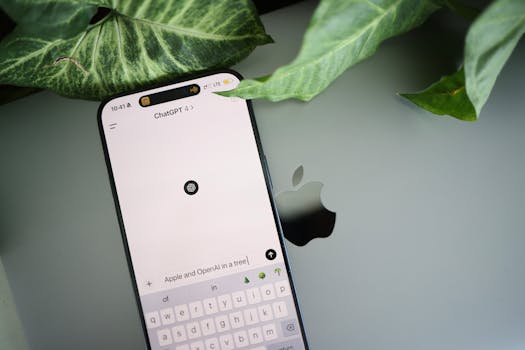
For structured, long-term knowledge management and inline editing, Notion AI is the superior choice because it integrates directly into your existing databases and pages. However, if you need a flexible conversational partner to brainstorm, restructure raw brain dumps, or generate templates from scratch, ChatGPT is the more powerful engine.
1. The Core Philosophy: Workspace vs. Sandbox
Understanding the fundamental design differences between these two tools is essential before choosing one for your note-taking stack. While both utilize advanced large language models (LLMs), they serve entirely different workflows.
The Workspace Native: Notion AI
Notion AI is built directly into your document-editing workspace. It does not live in a separate chat window; instead, it exists as an assistive layer on your page. When you use Notion AI, you are interacting with your existing notes, wiki pages, and databases. The AI has context of what is on your current page and, with features like Notion Q&A, it can reference your entire workspace history. It is designed to help you organize, refine, draft, and structure information where it already lives.
The Conversational Sandbox: ChatGPT
Developed by OpenAI, ChatGPT is a conversational interface. It operates as a blank canvas where you can input prompts, upload files, and chat back and forth to refine your ideas. While ChatGPT has incredible raw reasoning, coding capabilities, and creative output, it does not naturally “live” where you store your notes. To use ChatGPT for note-taking, you typically must copy text back and forth between the ChatGPT interface and your dedicated note-taking app.
2. Feature-by-Feature Comparison for Note-Taking
Both platforms can summarize text, rewrite paragraphs, and fix grammar, but they execute these tasks differently. Below is a detailed breakdown of how they compare across key note-taking vectors.
Note Creation and Formatting
Notion AI excels at formatting. Because it is native to the Notion block editor, it can instantly format text into toggle lists, bullet points, numbered lists, subheaders, and even Notion databases. You can highlight a messy block of text, press spacebar, and instruct the AI to “make a table out of this.”
ChatGPT outputs standard Markdown. While you can ask it to format text with headers and tables, you must then manually copy and paste that text into your text editor. Sometimes, the formatting can break or require manual adjustment during the transfer.
Search and Retrieval
The biggest hurdle in note-taking is finding your notes later. Notion AI solves this with its workspace search and Q&A features. If you have hundreds of meeting notes, you can ask Notion AI, “What did we decide about the Q3 budget in our meeting last month?” and it will scan your entire database to give you an answer with citations.
ChatGPT operates on a session-by-session basis. While it has a “Memory” feature that remembers personal details across chats, it cannot search your external databases or local folders unless you manually upload those documents to the chat interface.
Comparison Matrix: Notion AI vs. ChatGPT
| Feature | Notion AI | ChatGPT (Plus/Pro) |
|---|---|---|
| Primary UI | Integrated block editor & databases | Conversational chat interface |
| Workspace Context | High (searches across all your workspace pages) | Low (isolated to active chat thread or uploaded files) |
| Formatting Outputs | Native toggles, databases, page layouts | Markdown text blocks, code boxes, tables |
| Note Organization | Folders, databases, relations, and tags | Chronological sidebar threads |
| Voice Dictation | Basic dictation (device-dependent) | Advanced Voice Mode (highly conversational) |
| File Processing | Limited to pages, PDFs, and inline database files | Deep analysis of PDFs, spreadsheets, and images |
3. How to Leverage Notion AI for Active Note-Taking
Notion AI is highly effective when used as an inline assistant while you build a structured database of thoughts, projects, and meeting minutes.
Step 1: Draft and Auto-Format Meeting Notes
When you start a new meeting page in Notion, you can type /ai to call the assistant. Use it to generate a clean agenda template based on your meeting title. During the meeting, jot down rough bullet points. Once the meeting ends, highlight your messy notes and select “Improve writing” or “Change tone” to quickly turn your raw notes into professional, shareable meeting minutes.
Step 2: Auto-Extract Database Properties
If you use Notion databases for your notes, Notion AI can automatically fill out database properties. You can set up custom AI properties that automatically read the content of your note and extract the:
- Summary of the discussion
- Key stakeholders mentioned
- Assigned action items
This automation turns a manual organizational chore into a completely hands-off process.
Step 3: Use Q&A as a Second Brain
Instead of clicking through folders to find information, use the Notion AI Q&A assistant in the sidebar. Treat it as your digital archivist. By asking, “What are our brand colors?” or “Summarize the project timeline for Client X,” you bypass manual search and get immediate, contextualized answers.
4. How to Leverage ChatGPT for Dynamic Note-Taking
ChatGPT shines in the conceptualization and preprocessing phases of note-taking. It is best used before your notes ever reach their final storage destination.
Step 1: Feed Raw Voice Transcripts
If you use voice recorders (like Otter.ai, Apple Notes, or custom transcription tools) to capture your thoughts on the go, the resulting transcript is often a chaotic wall of text. Copy this transcript into ChatGPT and prompt:
“Clean up this messy audio transcript. Remove filler words, organize it into logical headers, and list any action items in a checklist at the top.”
ChatGPT’s superior language processing capabilities will produce a highly polished, structured document that is ready to be archived.
Step 2: Create Custom Note-Taking Frameworks
ChatGPT can help you process complex information using specific mental models. You can ask it to restructure your notes using the Cornell Note-Taking System, the Feynman Technique, or a Zettelkasten slip-box format. Simply provide your raw information and ask ChatGPT to reframe it into the template of your choice.
Step 3: Brainstorm and Outline
If you have writer’s block, ChatGPT is the ultimate brainstorming partner. You can have a back-and-forth conversation to outline a blog post, plan a travel itinerary, or structure a study guide. Once you have built the perfect outline through dialogue, copy the final output into your permanent note system.
5. Cost, Privacy, and Data Security Considerations
For US users, especially those handling proprietary business data or personal records, cost and privacy are critical differentiators.
Subscription Plans and Value
Notion AI is offered as an add-on subscription to any Notion plan (including the free tier) for $8 to $10 per user per month. It is a cost-effective option if you already use Notion as your primary digital workspace.
ChatGPT is free to use with limited access to its most advanced models. The premium tier, ChatGPT Plus, costs $20 per month. While more expensive, it grants you access to custom GPTs, advanced data analysis, image generation (DALL-E), and conversational voice features.
Privacy and Data Usage
When using AI for sensitive notes, you must understand where your data goes.
- Notion AI: Notion states that your data is encrypted in transit and at rest. Importantly, Notion does not use your workspace data or AI prompts to train its underlying AI models, ensuring your business notes remain private.
- ChatGPT: By default, OpenAI may use your chat history to improve and train its models. If you are taking private notes, you must manually go into your account settings and turn off “Chat history & training” or use a Team/Enterprise workspace to ensure your data remains confidential.
Our Top Pick
For note-taking, Notion AI is our top pick.
While ChatGPT is a more versatile tool for general-purpose computing, coding, and open-ended creative tasks, note-taking is fundamentally about organization, retrieval, and long-term utility. Notion AI wins because it is fully integrated into a world-class document editor and database system. You do not have to constant-switch tabs, manage copying and pasting, or worry about organizing isolated chat histories.
With Notion AI, your notes remain in context, fully searchable, and beautifully formatted in one secure workspace. You can learn more about upgrading your workspace on the official Notion Pricing Page (#).
Frequently Asked Questions
Is Notion AI free to use?
Notion AI is not free, though Notion occasionally offers a limited number of free AI responses to users so they can test the features. To get unlimited access, you must purchase the Notion AI add-on, which costs $10 per user per month (or $8 per user per month billed annually).
Which tool is better for transcribing and summarizing voice notes?
ChatGPT is better for processing raw audio transcripts and voice files. Its advanced language processing handles messy dictation, grammatical errors, and tangential thoughts more efficiently than Notion AI, allowing you to generate highly refined summaries from spoken word.
Can ChatGPT organize my notes into folders?
No, ChatGPT cannot organize your notes into structured folders, subpages, or databases. It only stores your past conversations in a chronological sidebar. If you want structured organization with folders, nested pages, and tags, you must use a tool like Notion.
How secure are my private notes on both platforms?
Notion AI is highly secure and does not use your personal or business workspace data to train its models. ChatGPT will use your data for training by default on personal accounts, meaning you must opt out of data training in your settings to protect your privacy.
Does Notion AI use OpenAI’s models?
Yes, Notion AI utilizes a blend of advanced language models, including those developed by OpenAI (such as GPT-4) and Anthropic (Claude), customized specifically to search, edit, and interact with the unique block architecture of Notion workspaces.
Can I export my notes from both tools?
Yes. Notion allows you to export your pages and databases as Markdown, PDF, HTML, or CSV files. ChatGPT allows you to copy text blocks directly, export your entire data profile through account settings, or share chat links with others.
Conclusion
Choosing between notion ai vs chatgpt for notes comes down to whether you need a structured filing cabinet or a creative sandbox. Notion AI acts as an embedded, context-aware assistant that organizes, refines, and searches your existing documents directly within your workspace databases. ChatGPT, conversely, serves as a highly capable conversational engine that is unmatched for raw brainstorming, restructuring audio transcripts, and executing deep conceptual work. For the vast majority of note-takers, centralizing your thoughts in Notion and using its built-in AI will yield a much more organized and productive second brain.