Notion AI is best for users who want an integrated, highly organized workspace to structure, edit, and search their notes directly within existing pages. ChatGPT is superior for interactive brainstorming, conversational research, and generating highly customized text that you can manually paste into your favored note-taking app.
Notion AI is an integrated suite of artificial intelligence features built directly into Notion, the popular all-in-one productivity and note-taking workspace. Instead of acting as an external chatbot, Notion AI lives inside your existing pages, databases, and wikis. It operates on the block-based architecture of Notion, allowing you to highlight specific text blocks to trigger AI actions, rewrite sentences, or summarize entire folders of notes. Key features include inline writing assistance, automatic database property population, and “Q&A,” which acts as a semantic search engine across your entire workspace history.
1. Understanding the Contenders
What is Notion AI?
What is ChatGPT?
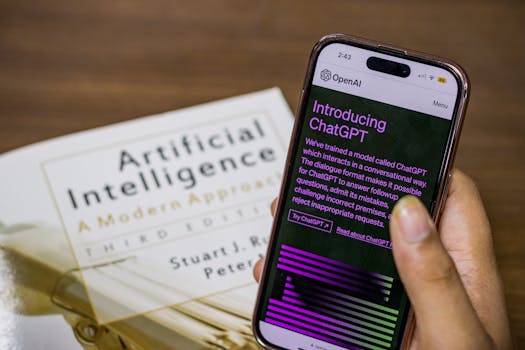
Developed by OpenAI, ChatGPT is a conversational large language model (LLM) that excels at dialogue, reasoning, complex problem-solving, and creative brainstorming. Unlike Notion AI, ChatGPT operates primarily through a conversational chat interface. While it does not feature a native folder-based note-taking structure, it offers immense versatility. Users can upload PDFs, analyze images, paste raw notes for structural refinement, and build custom “GPTs” tailored to specific workflows. It acts as a highly capable personal assistant that generates text from scratch, which users then copy and paste into their preferred document storage tools.
2. Core Note-Taking Features Compared
Contextual Content Editing and Formatting
Notion AI shines when it comes to editing existing notes. Since it is native to the workspace, you can highlight a paragraph of messy meeting notes and use the spacebar to summon the AI. You can command it to change the tone, fix spelling and grammar, make the text longer or shorter, or translate it into dozen of languages. Because Notion is block-based, Notion AI respects your formatting, maintaining your headers, bullet points, and toggle lists.
ChatGPT can perform these same editing tasks, but the workflow is much more disruptive. To edit notes with ChatGPT, you must copy your text, navigate to the ChatGPT browser tab or mobile app, paste the text, type a detailed prompt, wait for the response, copy the output, and paste it back into your original document. Over a long study or work session, this constant switching adds friction to your workflow.
Workspace-Wide Search and Information Retrieval
One of the hardest parts of digital note-taking is retrieving information from past notes. Notion AI solves this problem with its built-in Q&A feature. This tool functions as a search engine for your personal life or business. You can ask Notion AI questions like, “What did we decide during the marketing meeting last Tuesday?” or “What are my main goals for Q3?” The AI will scan all your pages, locate the correct notes, synthesize an answer, and provide direct links to the source documents.
ChatGPT has a “Memory” feature and allows you to upload files to individual chat threads, but it lacks a native, unified personal database to scan. While you can create a custom GPT and upload static text files to its knowledge base, it does not dynamically sync with your daily, living notes. If you add a new note to your local drive, you must manually re-upload it to ChatGPT to keep its knowledge base updated.
Brainstorming, Ideation, and Creative Writing
When you are starting a note from scratch, ChatGPT is the undisputed leader. Its conversational interface allows for deep, multi-turn dialogue. If you are planning a trip or drafting a blog post, you can chat back and forth with ChatGPT, refining ideas, challenging its assumptions, and asking it to adopt specific personas. ChatGPT’s advanced reasoning models, such as GPT-4o, handle complex logic and highly specific creative constraints better than Notion’s integrated model.
Notion AI can also brainstorm ideas, generate outlines, and write drafts. However, because it operates in a linear document editor, the experience feels less conversational. Trying to have a multi-step debate with the AI inside a static Notion page can quickly clutter your workspace with discarded drafts.
3. Notion AI vs ChatGPT for Notes: Comparison Table
| Feature / Capability | Notion AI | ChatGPT |
|---|---|---|
| Workspace Integration | Seamless (Native inline blocks) | External (Chat-based interface) |
| Note Organization | Excellent (Folders, databases, tags) | Poor (Requires external saving) |
| Information Retrieval | Semantic search across all workspace pages | Search within active chat thread/history |
| Multi-turn Dialogue | Basic conversational capabilities | Exceptional, deeply interactive |
| Database Auto-Fill | Yes (Fills tables and database properties) | No (Manual data entry required) |
| File Formats Handled | Text, embedded media, code blocks | PDFs, CSVs, images, code files |
| Free Access Tier | Very limited trial queries | Robust free tier (GPT-4o mini) |
4. Pros and Cons of Each Tool
Notion AI Pros and Cons
Pros:
- No copy-pasting required; operates directly on your active page.
- Q&A feature searches your entire personal wiki instantly.
- Preserves complex markdown, bullet points, and database properties.
- Automates repetitive tasks like summarizing meeting transcripts in a database.
Cons:
- Requires a paid add-on subscription for continuous use.
- Less creative and conversational than ChatGPT for open-ended brainstorming.
- Performance is tied entirely to the speed and reliability of the Notion application.
ChatGPT Pros and Cons
Pros:
- Powered by OpenAI’s cutting-edge reasoning models (including GPT-4o).
- Highly generous free tier that is suitable for casual users.
- Exceptional at coding, deep logical analysis, and complex math.
- Supports custom GPTs and voice-based conversational input on mobile.
Cons:
- High friction workflow requiring continuous copying and pasting.
- Does not offer folder systems or database organization for your notes.
- Privacy settings require manual adjustments to prevent your data from being used for training.
5. Pricing and Value for Money
Notion AI Pricing Model
Notion AI is sold as an optional add-on to any paid or free Notion subscription. It costs $10 per member per month on a monthly billing cycle, or $8 per member per month if billed annually. If you are on Notion’s free plan, you can still purchase the Notion AI add-on. Notion occasionally provides a small number of complimentary AI responses (usually around 20) for users to test the service before committing to a paid plan.
ChatGPT Pricing Model
ChatGPT operates on a freemium model. The free tier gives users access to GPT-4o mini, along with limited daily access to their flagship GPT-4o model. For advanced users, ChatGPT Plus costs $20 per month. This subscription guarantees priority access to GPT-4o, higher message limits, advanced data analysis features, voice mode, and the ability to use and create custom GPTs.
Our Top Pick
For users specifically looking to optimize their digital note-taking workflow, Notion AI is the superior choice.
While ChatGPT is the more powerful general-purpose assistant, note-taking relies heavily on organization, structured storage, and rapid retrieval. Notion AI wins because it is fully embedded where your notes actually live. You do not have to disrupt your focus by toggling between different tabs, and the ability to instantly search your entire personal history using the Q&A feature completely eliminates the pain of lost files. If you want to build a highly organized digital brain, you can get started with the workspace tool by visiting the official page (#).
Frequently Asked Questions
Can I use ChatGPT to organize my Notion workspace?
You cannot directly use ChatGPT to organize your Notion workspace unless you use a third-party integration tool like Zapier or Make. ChatGPT operates in a separate interface, meaning it cannot view, drag, or categorize your Notion pages unless you manually copy the page structures and paste them into the chat.
Is Notion AI safer for private personal notes than ChatGPT?
Notion states that your data is encrypted and that they do not use your workspace content to train their AI models. ChatGPT, by default, uses your conversations to train its models unless you manually turn off “Chat History & Training” in your settings or use a Team/Enterprise account.
Which tool is better for college students taking lecture notes?
Notion AI is generally better for college students because it helps format lecture notes, generate summaries from class transcripts, and organize study guides in one centralized location. However, ChatGPT is highly useful as a supplementary study tool for explaining complex concepts or solving math equations.
Does Notion AI use OpenAI’s technology?
Yes, Notion AI is powered by several underlying large language models, including models developed by OpenAI and Anthropic. Notion customizes these models specifically to work with their block-based editor and database structures to optimize performance for productivity tasks.
Can I use both Notion AI and ChatGPT together?
Absolutely. Many power users use ChatGPT to brainstorm complex projects, outline essays, or analyze large uploaded PDFs, and then copy that structured output into Notion, where they use Notion AI for minor edits, tone adjustments, and localized summarization.
Is there a free version of Notion AI?
Notion does not offer a permanently free version of its AI tool. They provide a small, one-time allotment of free AI responses (typically 20 completions) so that users can try the features, but once those are used, you must purchase the monthly add-on.
Conclusion
When evaluating notion ai vs chatgpt for notes, the decision ultimately depends on whether you value seamless organization or conversational power. Notion AI is the ultimate assistant for restructuring, editing, and retrieving notes within an established personal database, making it perfect for structured productivity. ChatGPT remains the industry standard for open-ended ideation and complex reasoning, though it requires manual copy-pasting to manage your notes. Combining both tools can give you the ultimate setup for generating and organizing your digital thoughts.